At Jamkhana, we respect your privacy and give you the option to permanently delete your account and all data associated with it from inside the app.
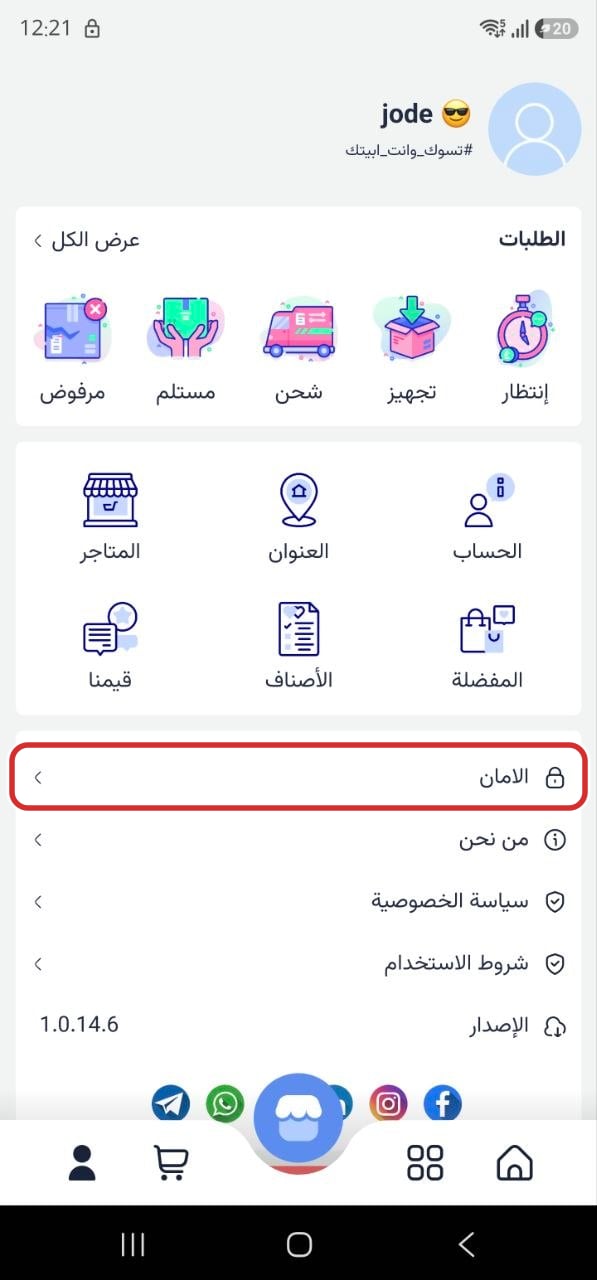
How to delete your account- Open the Jamkhana app and sign in to your account.
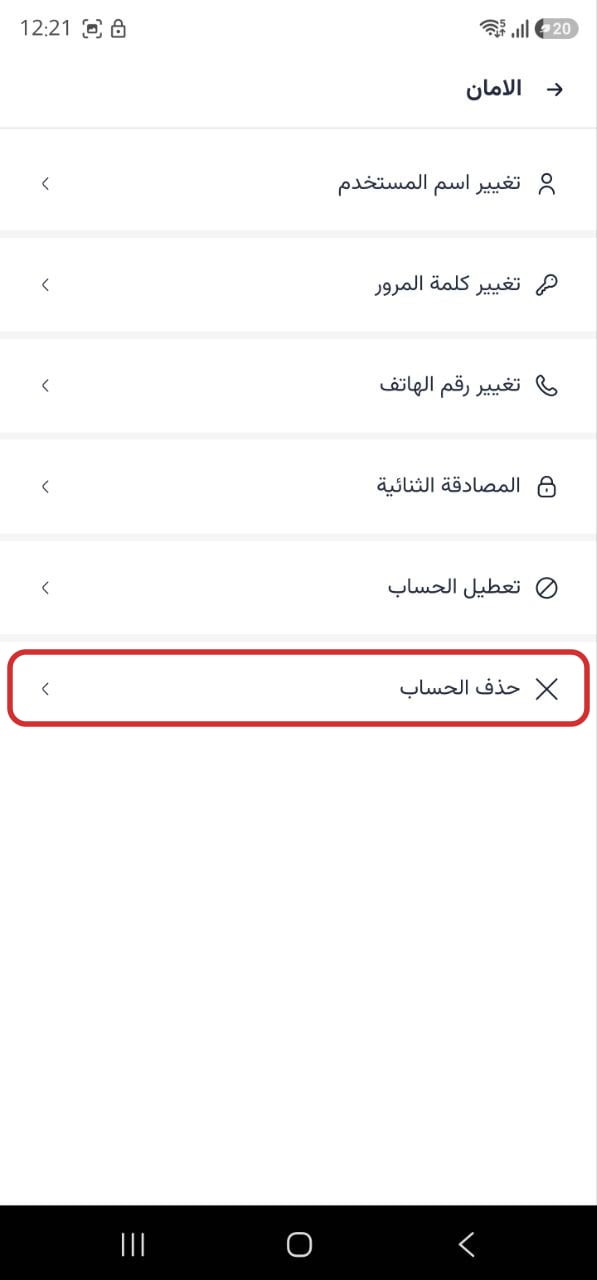
- Go to Profile, then tap Security.
- Tap Delete Account, then confirm the deletion.
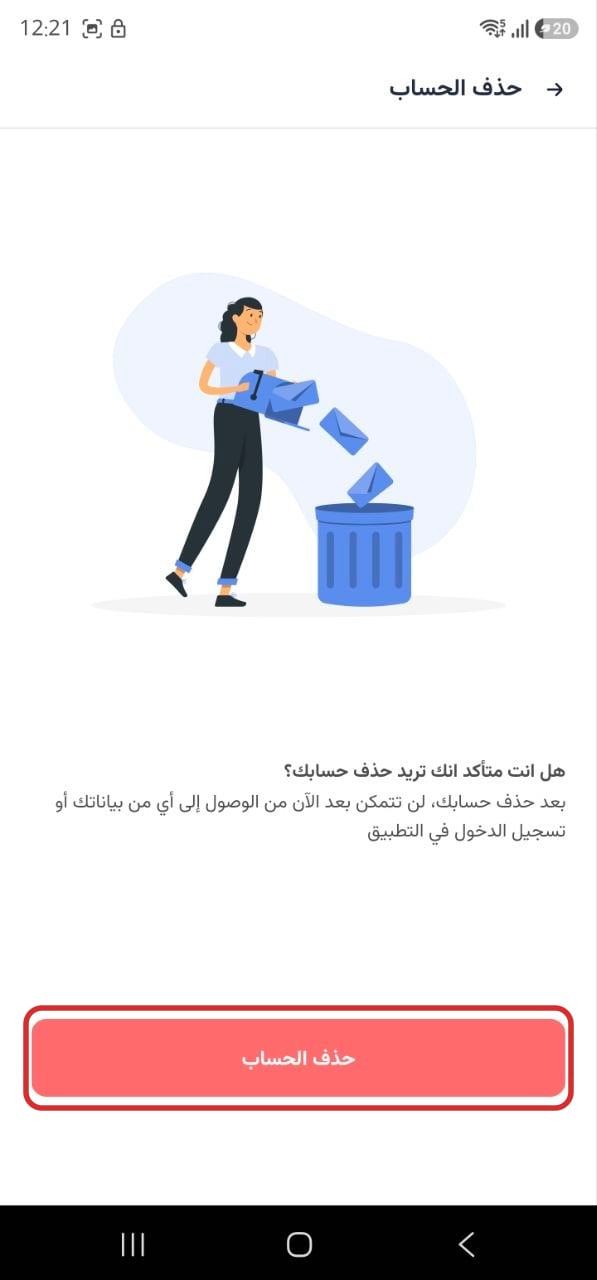
What happens next: once your account is deleted, you will no longer be able to access your data or sign in to the app. Your personal information is removed from our systems in accordance with the Shopper Privacy Policy.
Need help? Contact us at info@jamkhana.com.